

It's 2025, why is it still so hard to find the information you need at work?
We’re used to having instant answers at our fingertips. If you have a question, you just Google it. If you need a particular website or information, you just Google it.
But the moment we step behind the company firewall, it’s like we’re back in 1995.
Need a document? A vendor contact? A safety procedure from three years ago? We instinctively call a meeting with stakeholders to see what's available, and people scramble to manually assemble a response. It's slow, its lossy. It's bad.
Your IT team might say, “Oh, search is terrible, you don’t want that.”
But what they really mean is “SharePoint search is terrible. Searching a network file share is terrible.”
That doesn’t mean you’re stuck. There’s a better way.
Like what you see? Want to see more? I invite you to chat with my team at Shinydocs.
The Real Search Use Case: Productivity and Compliance in the Face of Budget Cuts
Let’s keep it simple - because that’s what this blog is about.
You need:
- To know what you have before you start searching.
- To find what you need immediately without bugging anyone else
- To enable users to get work done faster, without wasting other people’s time.
Especially now. Budgets are down and everyone is being asked to do more with less.
Or, as I'd put it...
Do less, better.
So, how do you make information accessible and secure without hiring more people?
Before we get to that, ask yourself:
"When Was the Last Time I Called a Teams Meeting to Find a Restaurant?"
You didn’t. You just Googled it.
If your engineers are still spending 40 hours manually digging through shared drives and emails to find maintenance data on a pump in Building 3... something’s broken (and it’s not just the pump).
When search works like Google, you don’t need to call a meeting to find what you need.
You just find what you need - that's Part 1. It is a different approach than just "put it in SharePoint and hope someone can find it".
Part 2 Is Adding AI to Your Search
AI search can give you context, connect your unstructured content, and serve up the right info, without any extra effort from your people.
This is how you leverage the power of AI without the risk.
What This Looks Like in the Real World

This is Gordon Fowler, the Deputy Fire Chief for the Town of Milton.
Does Gordon look like a man who has time to talk to IT every time he needs information for his job?
Of course not!
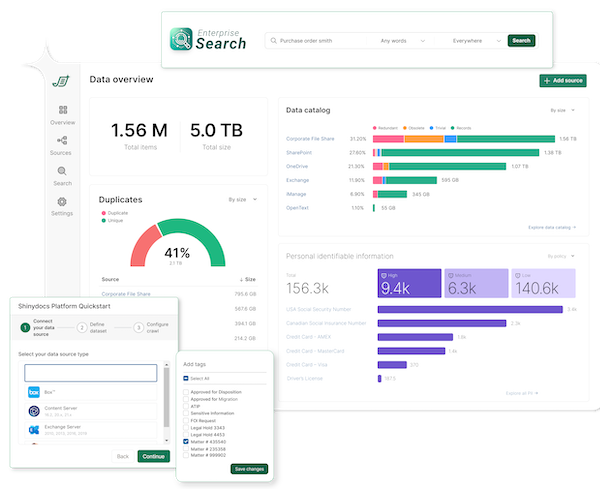
Gordon just wants to do his job - and now he can, because the data he needs is just there, like this:
Leaders Are Thinking About This Now
I’ve known Mike Brookover, CEO at Alitek, for years.
He’s one of the clear voices in our industry about optimizing for compliance and cost, without adding complexity.
He and I both agree - conversations we're having right now is about how to find the information you need - quickly, securely, and without humans having to intervene.
You Don't Need More People. You Need a Better Way
The Google experience behind your firewall is not only possible, it’s how smart organizations are doing more with less.




Comments